
Task Teacher Guide

Be sure to read the teacher guide prior to running the task. When you’re ready to run the task, use the tabs at the top of the page to navigate through the lesson.
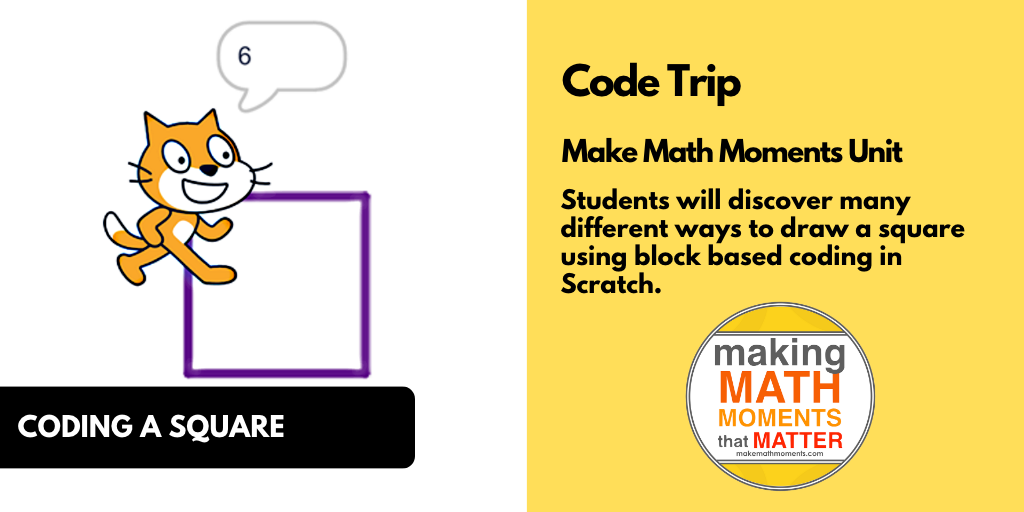
Beginner coding lessons

[accordion openall=”false”  clicktoclose=”true” state=”closed” autoclose=”false” openfirst=”true” clicktoclose=”true”]
[accordion-item title=”In This Task…”]

Students will continue exploring how and when to use Repeat Loops and Nested Loops. Students will then use their knowledge and understanding to code their very own original spirograph.

[/accordion-item]

[accordion-item title=”Intentionality…”]

Login/Join to access the entire Teacher Guide, downloadable slide decks and printable handouts for this lesson and all problem based units.

[/accordion-item]

[/accordion]

Spark

[accordion openall=”false” clicktoclose=”true” state=”closed” autoclose=”false” openfirst=”false” clicktoclose=”true”]
[accordion-item title=”What Do You Notice? What Do You Wonder?”]

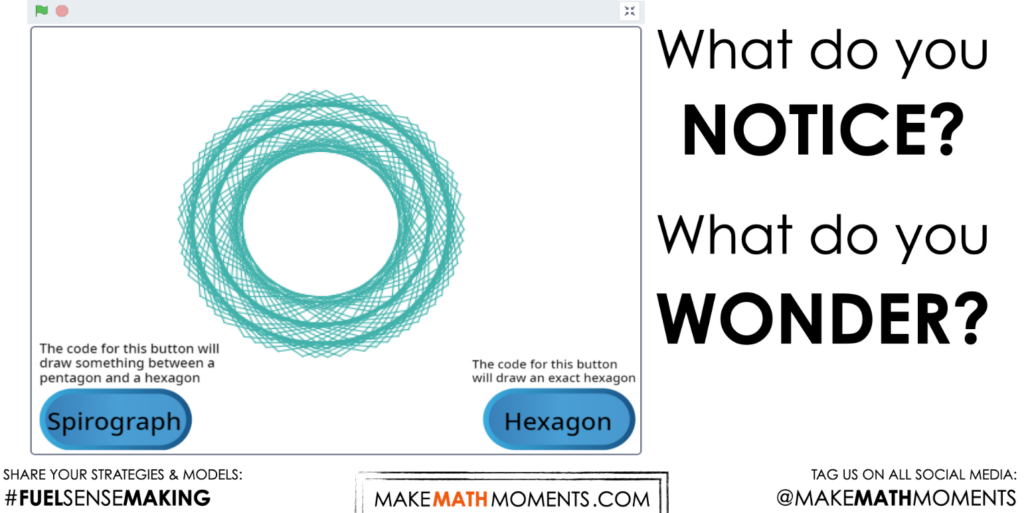
Students will compare 2 different patterns and then predict what code is being used to produce the spirograph patterns. They will then work to reproduce the same effects, and then use creativity to add their own spin on to the project.

Show students the “Spirograph Comparison” project, but do not “See Inside”:

Then ask students:

What do you notice?

What do you wonder?

What are the differences between the Spirograph and the Hexagon?

Which blocks are being used to produce both of these effects?

What patterns do you notice and how could they be made with repeat loops?

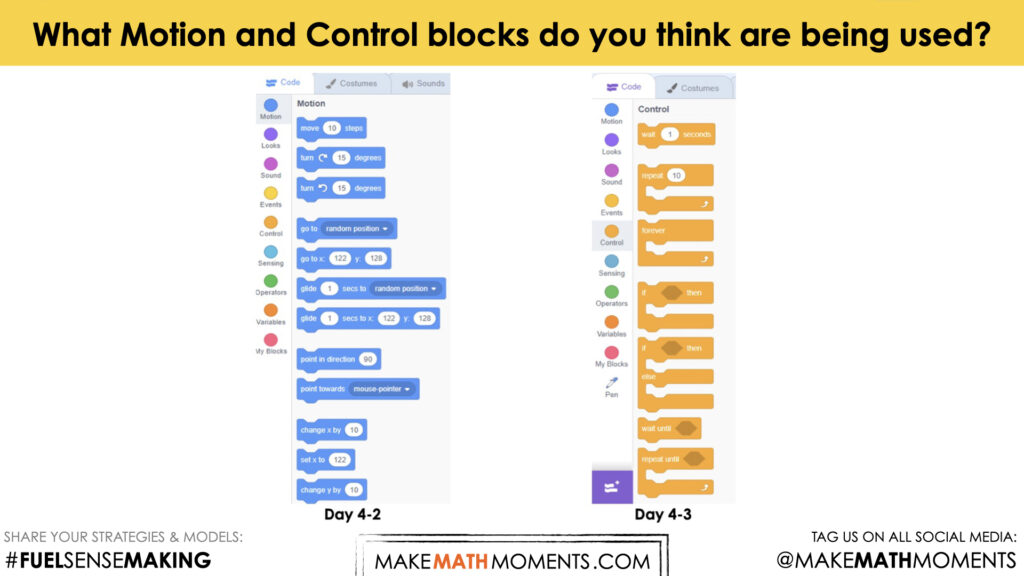
Bring students’ attention to the differences between the Spirograph and the Hexagon. What could account for those differences? What blocks are being used to create both effects. Which characteristics are being changed to account for the differences? Have students scroll through the different categories of coding blocks in Scratch to see which blocks may produce similar effects, focusing especially on Motion and Control blocks.

Estimation: Prompt

Ask the following question:

What Motion and Control blocks do you think are being used?

We can now ask students to make predictions (not guesses) as we want them to be as strategic as they can possibly be. This will force them to use reasoning to try and come up with reasonable choices.

While Students Are Estimating…

Allow students to look through the coding blocks available to them (on the left hand side of Scratch) and write down which blocks might be useful. If you do this as a whole class, as students share their estimates, consider writing down the reasonable ones, so they have options to start with.  

[/accordion-item]

[/accordion]

Sense Making

[accordion openall=”false” clicktoclose=”true” state=”closed” autoclose=”false” openfirst=”false” clicktoclose=”true”]
[accordion-item title=”Crafting A Productive Struggle: Prompt”]

Login/Join to access the entire Teacher Guide, downloadable slide decks and printable handouts for this lesson and all problem based units.

[/accordion-item]

[/accordion]

During Moves

[accordion openall=”false” clicktoclose=”true” state=”closed” autoclose=”false” openfirst=”false” clicktoclose=”true”]
[accordion-item title=”While Students Are Productively Struggling…”]

Login/Join to access the entire Teacher Guide, downloadable slide decks and printable handouts for this lesson and all problem based units.

[/accordion-item]

[accordion-item title=”Student Challenge #1: Getting the angles”]

Login/Join to access the entire Teacher Guide, downloadable slide decks and printable handouts for this lesson and all problem based units.

[/accordion-item]

[accordion-item title=”Student Challenge #2: Sequencing”]

Login/Join to access the entire Teacher Guide, downloadable slide decks and printable handouts for this lesson and all problem based units.

[/accordion-item]

[accordion-item title=”Student Challenge #3: Repeat Blocks”]

Login/Join to access the entire Teacher Guide, downloadable slide decks and printable handouts for this lesson and all problem based units.

[/accordion-item]

[accordion-item title=”Student Challenge #4: Nested Loops”]

Login/Join to access the entire Teacher Guide, downloadable slide decks and printable handouts for this lesson and all problem based units.

[/accordion-item]

[/accordion]

Next Moves

[accordion openall=”false” clicktoclose=”true” state=”closed” autoclose=”false” openfirst=”false” clicktoclose=”true”]
[accordion-item title=”Consolidation: Making Connections”]

Login/Join to access the entire Teacher Guide, downloadable slide decks and printable handouts for this lesson and all problem based units.

[/accordion-item]

[accordion-item title=”Reveal”]

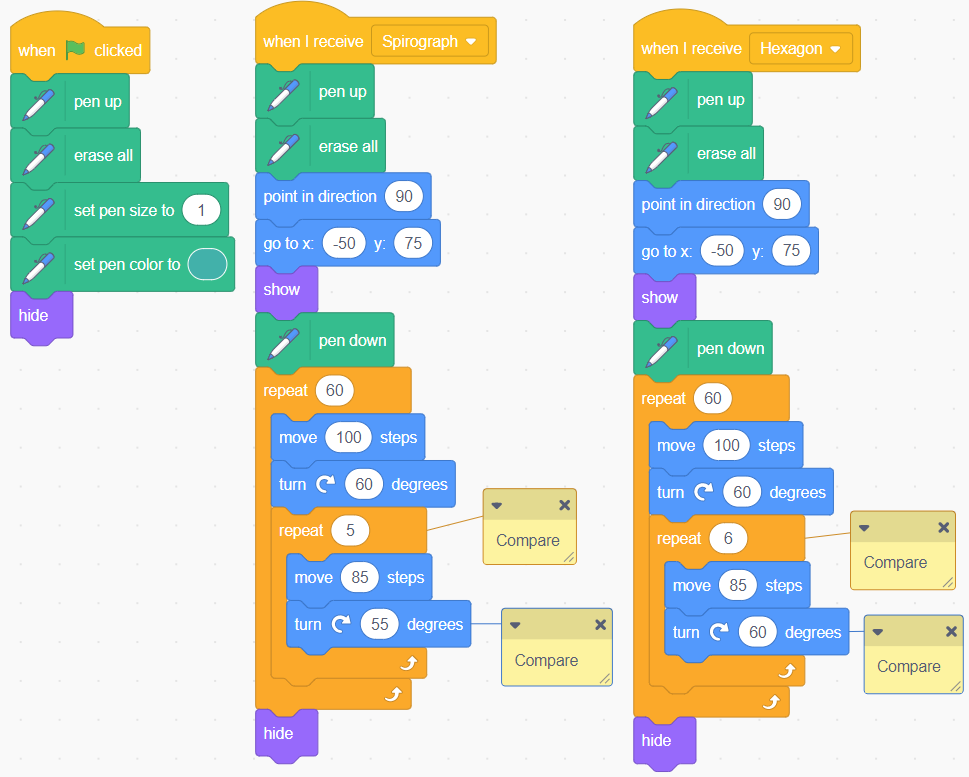
Show students the “Spirograph Comparison” project and “See Inside” to show one way of completing this project:

Project Reveal:

Compare the 2 sets of blocks used for the Spirograph and the Hexagon. Notice the number of times they repeat and how many degrees they turn. Which numbers did you use in your project and why did you choose them?

Go over the coding script in Scratch, or show the following image with students which shows the full coding script that students would ideally have created.

Discuss how they determined which angles to use and how many times to repeat. Discuss the connections between the angles used and the 360 degrees of a circle and how not using an angle to make a perfect hexagon resulted in the pattern it did. 

[/accordion-item]

[accordion-item title=”Reflect”]

Provide students an opportunity to reflect on their learning by offering these consolidation prompts to be completed independently.

Consolidation Prompt #1:

Login/Join to access the entire Teacher Guide, downloadable slide decks and printable handouts for this lesson and all problem based units.

Consolidation Prompt #2:

Login/Join to access the entire Teacher Guide, downloadable slide decks and printable handouts for this lesson and all problem based units.

We suggest collecting this reflection as an additional opportunity to engage in the formative assessment process to inform next steps for individual students as well as how the whole class will proceed.

Download Editable/Printable Handout

Become a member to access purposeful practice to display via your projector/TV, download the PDF to upload to your LMS and/or print for students to have a physical copy

JOIN TO DOWNLOAD

[/accordion-item]
[/accordion]

Resources and Downloads

Lesson Tip Sheet
Download the lesson plan in PDF format so you can keep it handy and share with colleagues.

JOIN TO DOWNLOAD

Videos & Images

Hot Chocolate Task Screenshot Images.002Download the videos, images, and related media files to your computer to avoid streaming.

JOIN TO DOWNLOAD

Printable Handout

Download/Edit the handout so you can keep it handy and share with colleagues.

JOIN TO DOWNLOAD

Explore The Entire Unit of Study

This Make Math Moments Task was designed to spark curiosity for a multi-day unit of study with built in purposeful practice, and extensions to elicit and emerge mathematical models and strategies.

Click the links at the top of this task to head to the other related lessons created for this unit of study.

[accordion openall=”false” clicktoclose=”true” state=”closed” autoclose=”false” openfirst=”true” clicktoclose=”true”]
[accordion-item title=”Spark Video”]

Login/Join to access the entire Teacher Guide, downloadable slide decks and printable handouts for this lesson and all problem based units.

[/accordion-item]

[accordion-item title=”Spark Image”]

Login/Join to access the entire Teacher Guide, downloadable slide decks and printable handouts for this lesson and all problem based units.

[/accordion-item]

[accordion-item title=”Estimation: Prompt”]

Login/Join to access the entire Teacher Guide, downloadable slide decks and printable handouts for this lesson and all problem based units.

[/accordion-item]

[/accordion]

[accordion openall=”false” clicktoclose=”true” state=”closed” autoclose=”false” openfirst=”true” clicktoclose=”true”]

[accordion-item title=”Struggle Prompt: Video”]

Login/Join to access the entire Teacher Guide, downloadable slide decks and printable handouts for this lesson and all problem based units.

[/accordion-item]

[accordion-item title=”Struggle Prompt: Image”]

Login/Join to access the entire Teacher Guide, downloadable slide decks and printable handouts for this lesson and all problem based units.

[/accordion-item]

[/accordion]

[accordion openall=”false” clicktoclose=”true” state=”closed” autoclose=”false” openfirst=”true” clicktoclose=”true”]

[accordion-item title=”Reveal Video”]

[/accordion-item]

[accordion-item title=”Reveal Image”]

[/accordion-item]

[/accordion]

[accordion openall=”false” clicktoclose=”true” state=”closed” autoclose=”false” openfirst=”true” clicktoclose=”true”]

[accordion-item title=”Consolidation Prompt #1″]

Login/Join to access the entire Teacher Guide, downloadable slide decks and printable handouts for this lesson and all problem based units.

[/accordion-item]

[accordion-item title=”Consolidation Prompt #2″]

Login/Join to access the entire Teacher Guide, downloadable slide decks and printable handouts for this lesson and all problem based units.

[/accordion-item]

[/accordion]

Download Editable/Printable Handout

Become a member to access purposeful practice to display via your projector/TV, download the PDF to upload to your LMS and/or print for students to have a physical copy

JOIN TO DOWNLOAD